
Kaama
Student-housing allocation platform
Student housing, from application to handing over the keys
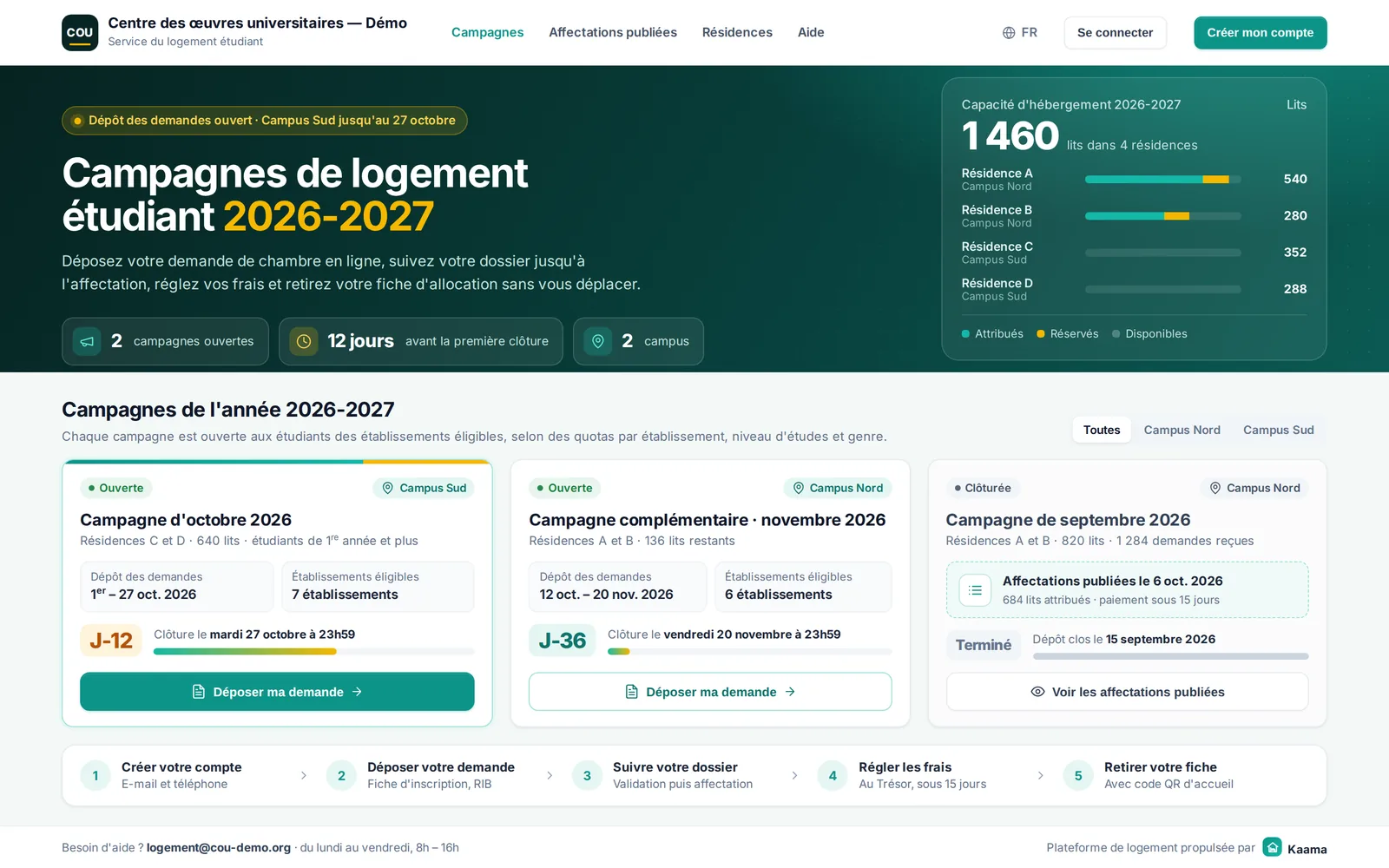
Kaama takes your residences’ housing campaigns online: students apply, your teams allocate beds according to your quotas, and payment is tracked through to the final allocation sheet.
The student journey, in five steps
- 1
Create an account
Once only: it is used for every campaign.
- 2
Submit a request
A form and the documents the campaign requires.
- 3
Track the file
Every decision arrives by e-mail and in the student area.
- 4
Pay the fees
Payment, then upload of the receipt within the stated deadline.
- 5
Collect the sheet
The final sheet with its QR code opens the door to the residence.
For housing teams
Campaigns by campus
Dates, eligible institutions and required documents, per campaign and per year.
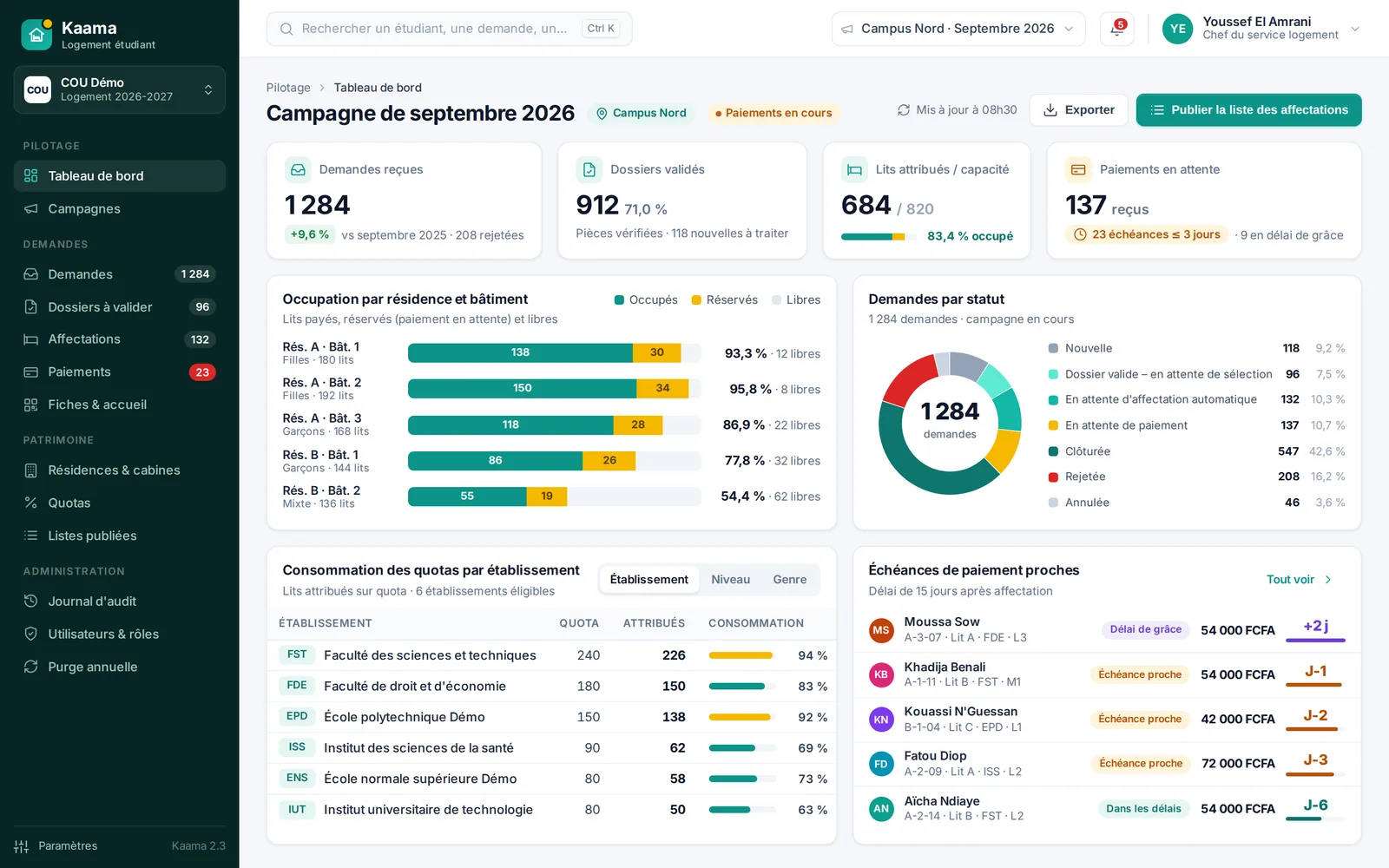
Quotas
By institution, level of study and gender, tracked in real time.
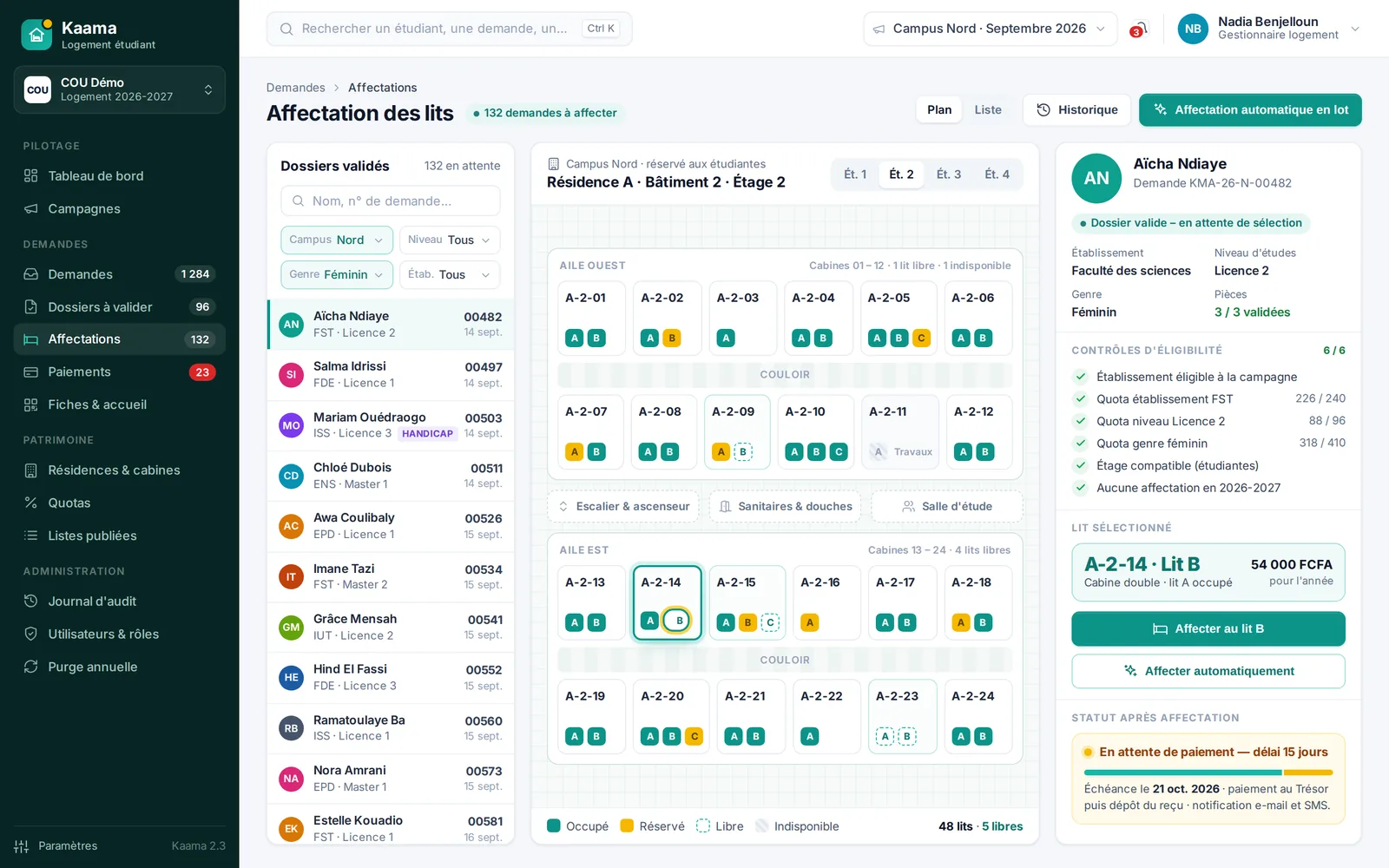
Residences and rooms
Buildings, floors, rooms and beds, with bulk import.
Bed allocation
Automatic allocation by your rules, or manual down to the bed.
Published allocations
A public list per campaign that students can check.
Payments and receipts
Configurable deadline, receipt upload and validation, grace period.
Allocation sheet
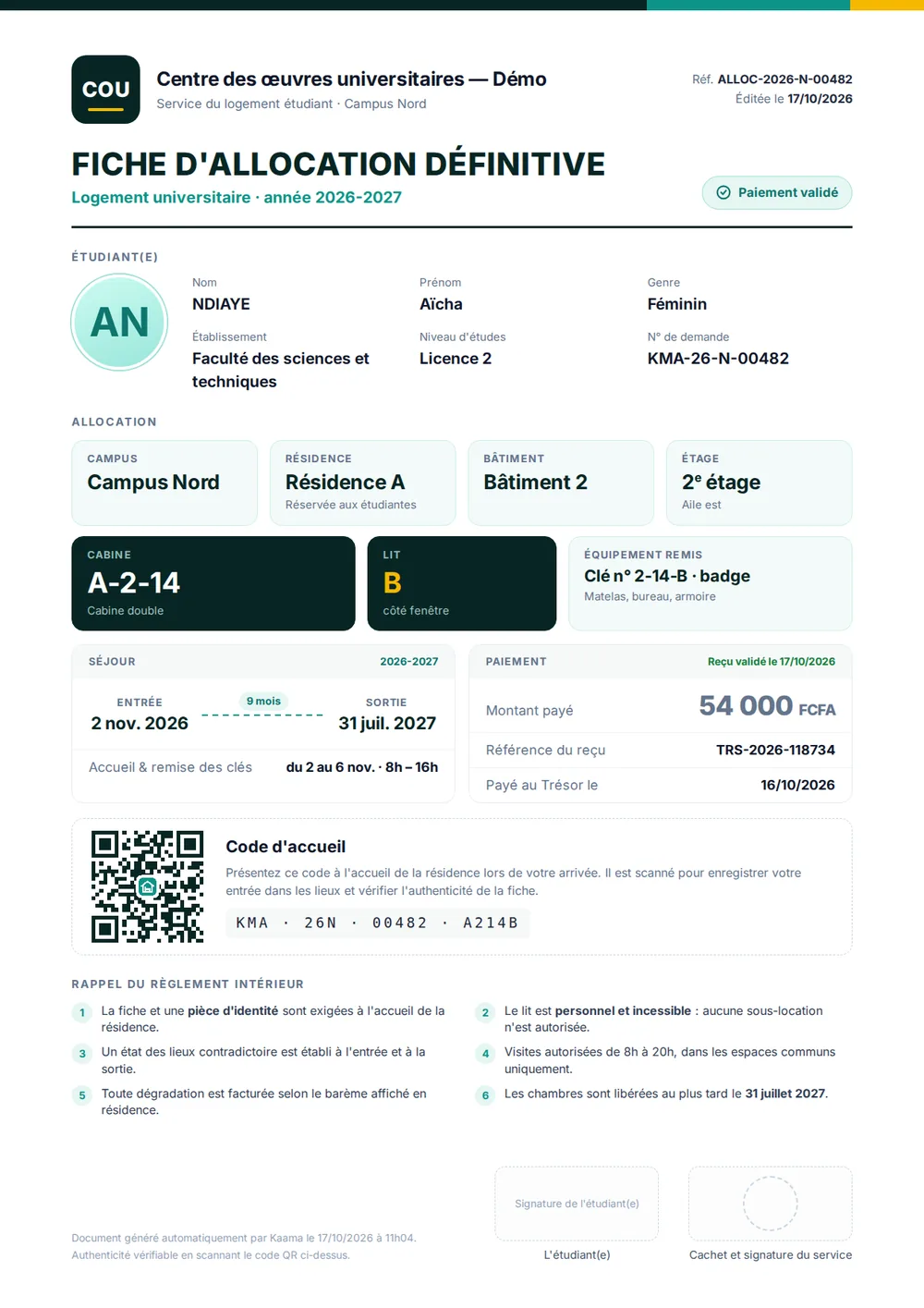
Final document with a QR code for checks at the entrance.
Traceability
Audit log, roles, two-factor authentication and a logged yearly purge.
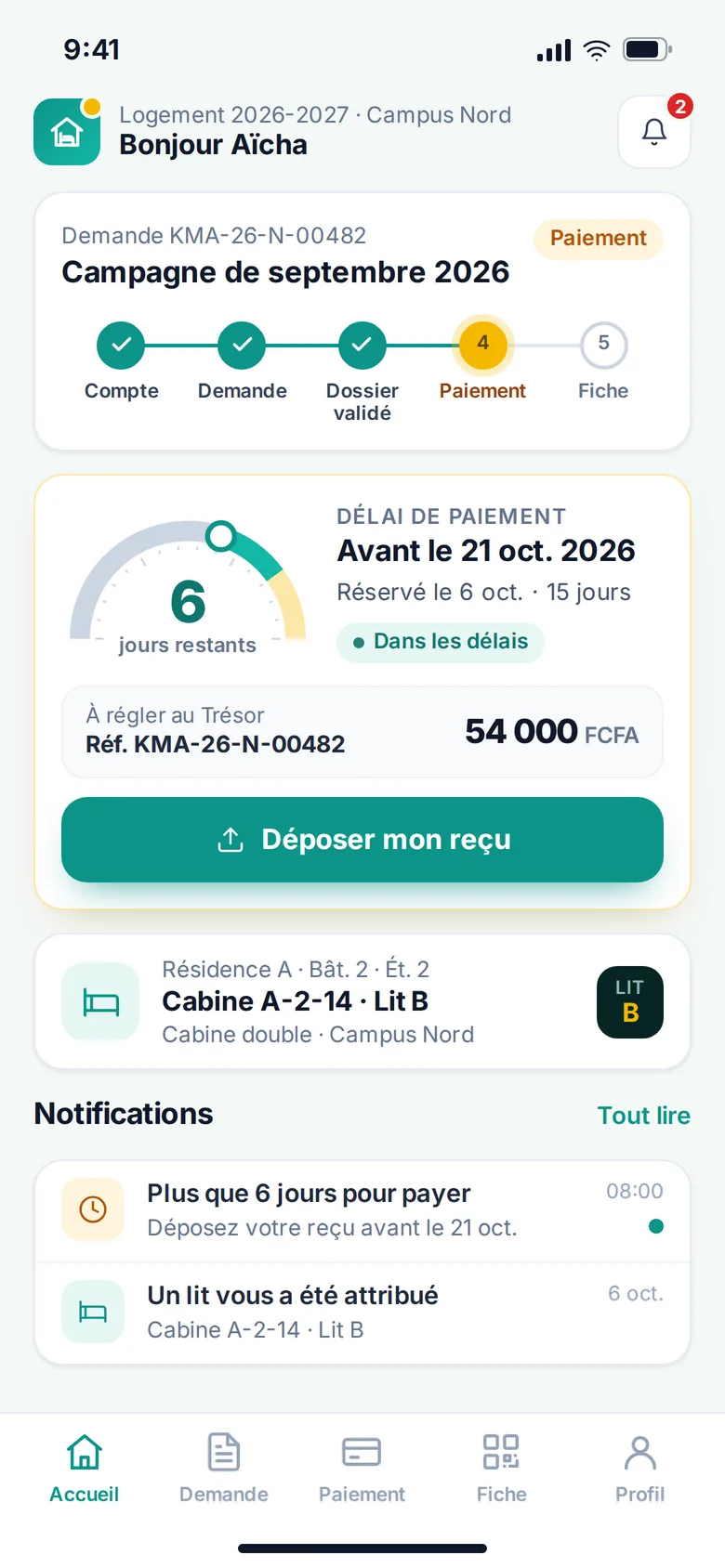
Payment deadlines, visible and enforced
On their phone, students see how many days are left to pay and upload their receipt. Three days before the deadline the banner turns to an alert; once it has passed, the bed is released to other students.
Once payment is validated, the final allocation sheet — with its QR code — opens the door to the residence.
Preparing a housing campaign?
We will show you Kaama on your own residences, campuses and quotas.